
From the first floatto the final count.
Follow a trading day on Nexstock — the float counted at 07:45, sales that keep moving when the network doesn’t, stock that travels with a paper trail, and a drawer that agrees at close.
Act IOpen
Start the day knowing exactly where you stand.
Before the first customer walks in, the drawer is counted, the float is on record, and everyone is signed into just the counter they work.
The drawer starts honest
Open a shift by counting the float. Everything that happens next is measured against that number — not against memory.
Cash shiftsEveryone sees only what they should
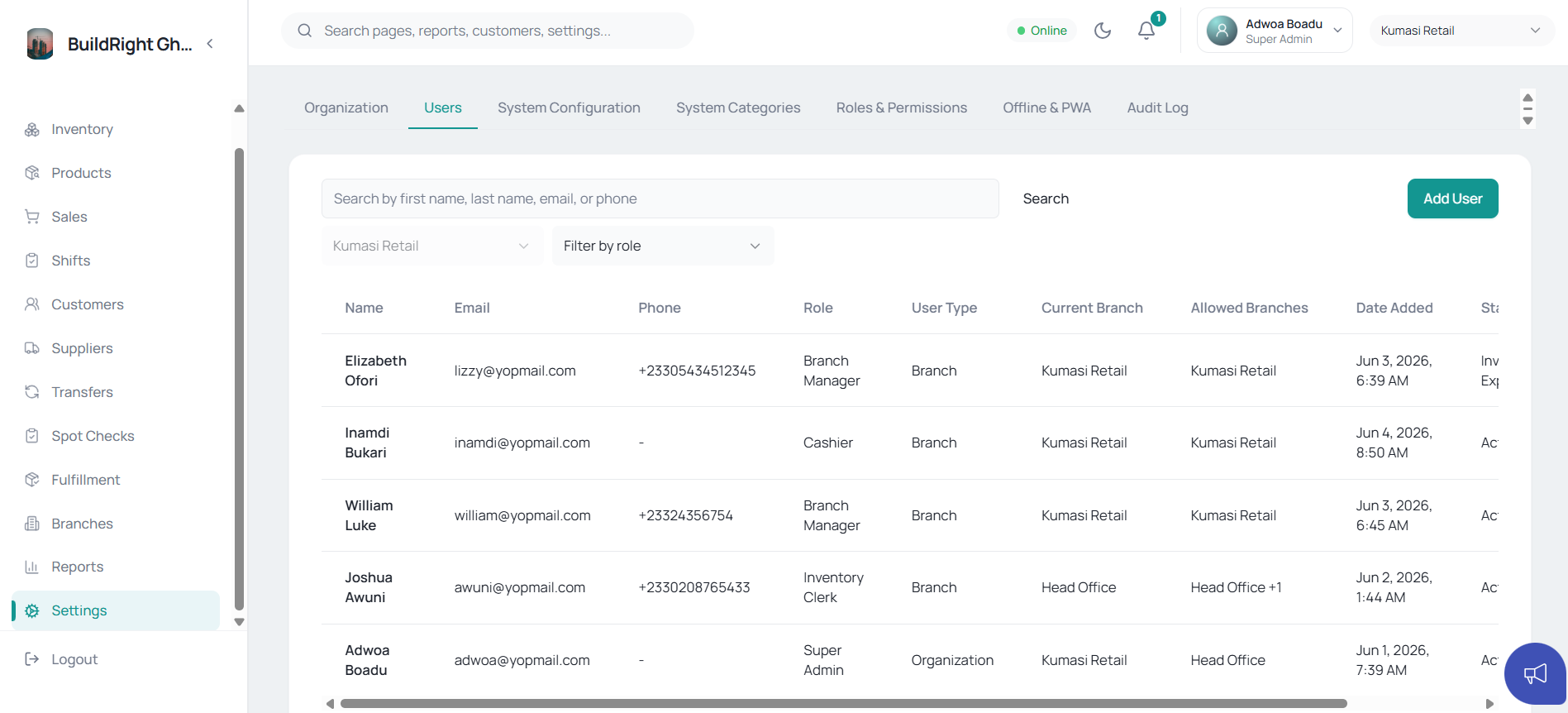
Staff, managers and owners get branch-aware roles. The cashier's view stops at the counter; yours doesn't.
Roles & permissionsRuns on the counter you already own
Install Nexstock on any phone, tablet or PC in the shop — no special hardware, no new till to buy.
Installable appYesterday is already filed
Last night's sales, shifts and stock movements are on the record before today begins — nothing to type up, nothing to chase.
Audit trail
Act IISell
Take every sale — even when the network won’t.
The counter gets busy and the internet gets moody. Neither should slow the queue.
No internet, no problem
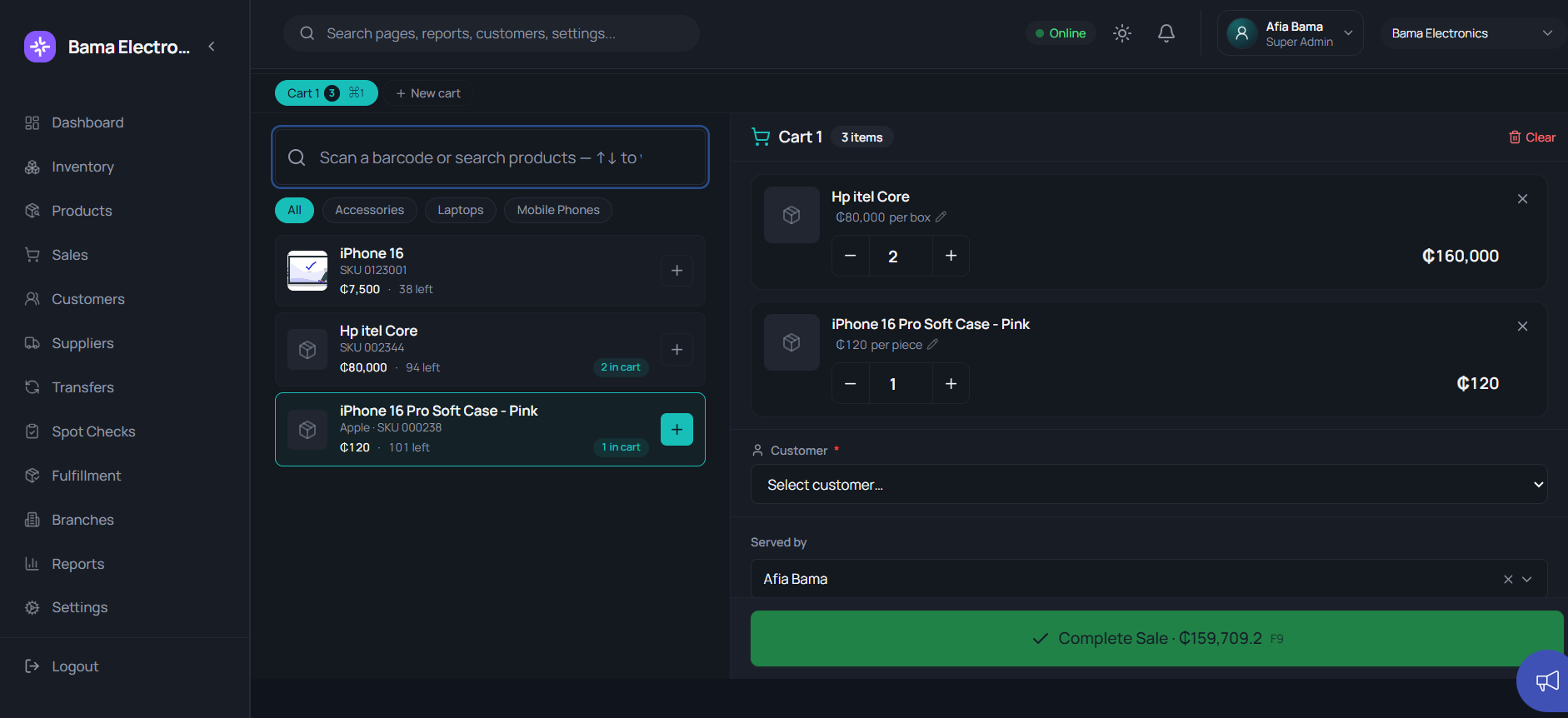
The POS keeps selling straight through an outage and syncs itself the moment the connection returns.
Offline-first POSSeller and cashier stay separate
Two-counter mode splits building the sale from collecting the money — so drawer disputes stop before they start.
Two-counter modeSay yes to “I'll pay part now”
Take a deposit against a proforma, collect installments over time, and convert it to a sale when it's fully paid.
Proforma & layawayDiscounts that don't eat the margin
Every manual discount respects a per-role cap and carries a reason you can review later.
Discount controlsTax comes out right, every time
Inclusive or exclusive pricing, named rates, several taxes on one invoice — computed for you, not guessed at the counter.
Tax setupPaperwork that looks like your business
Invoices, receipts and official receipts print with your name, your details and your paper size — previewed live before you commit.
Branded printing
Act IIIStock
Trust your shelves without walking them.
Stock questions should move at the speed of a search box, not a stroll through the warehouse.
One glance says what's where
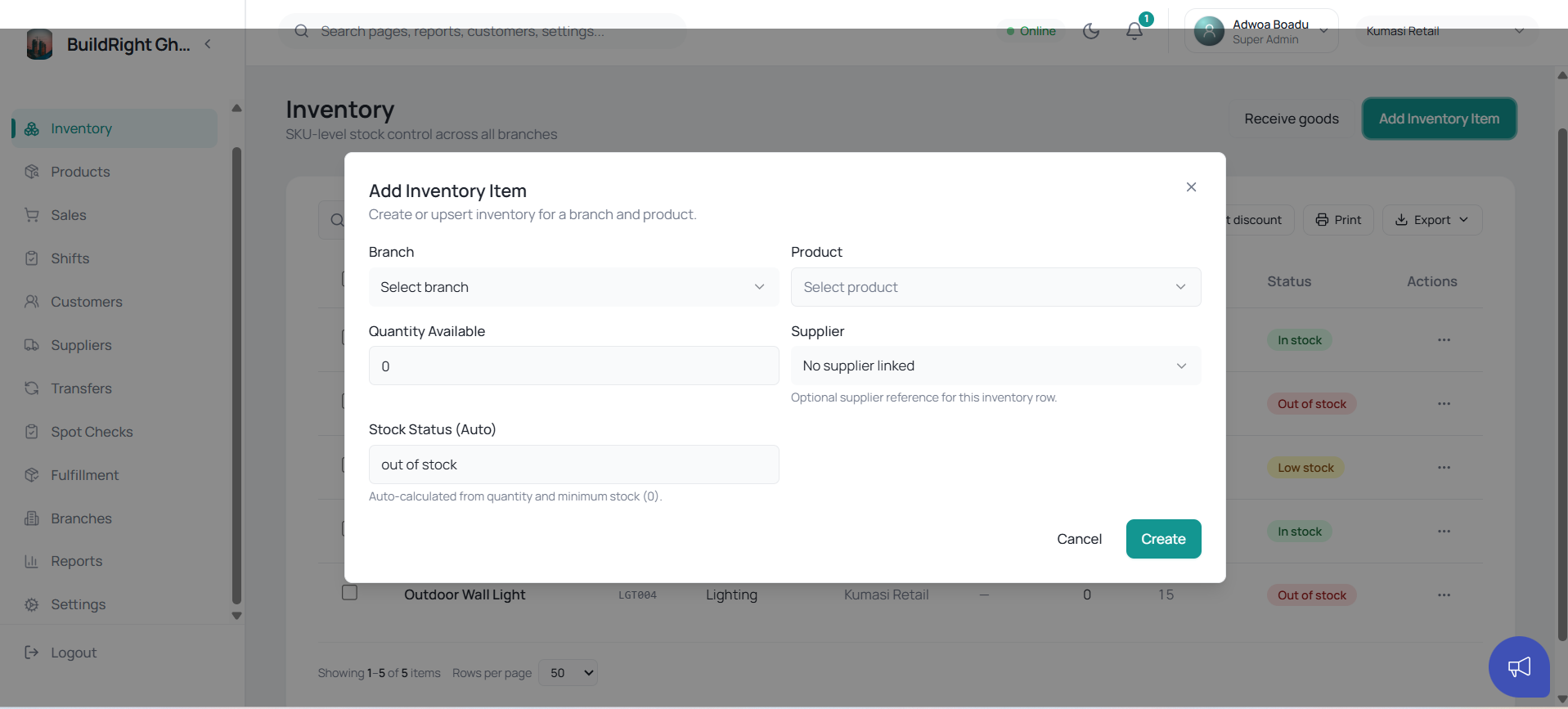
Live counts for every product at every branch, from one screen — what you have, where it sits, how it's moving.
Live inventoryNew stock lands on the record
Goods received puts deliveries into stock the moment they arrive, costs and quantities included.
Goods receivedReorder before the shelf goes empty
Low-stock flags and reorder suggestions surface what's running out while there's still time to do something about it.
Insights & reorderSurprise counts keep everyone honest
Scheduled or spot counts reconcile the shelf against the system and flag every variance — shrinkage shows up in days, not at year-end.
Spot checksBring your old records with you
Import products, customers and suppliers from Excel and be trading on Nexstock in a morning.
Excel import
Act IVMove
Move stock with a paper trail, not a phone call.
When one branch is selling what another has too much of, moving it shouldn't take an argument.
Nothing leaves a branch unaccounted
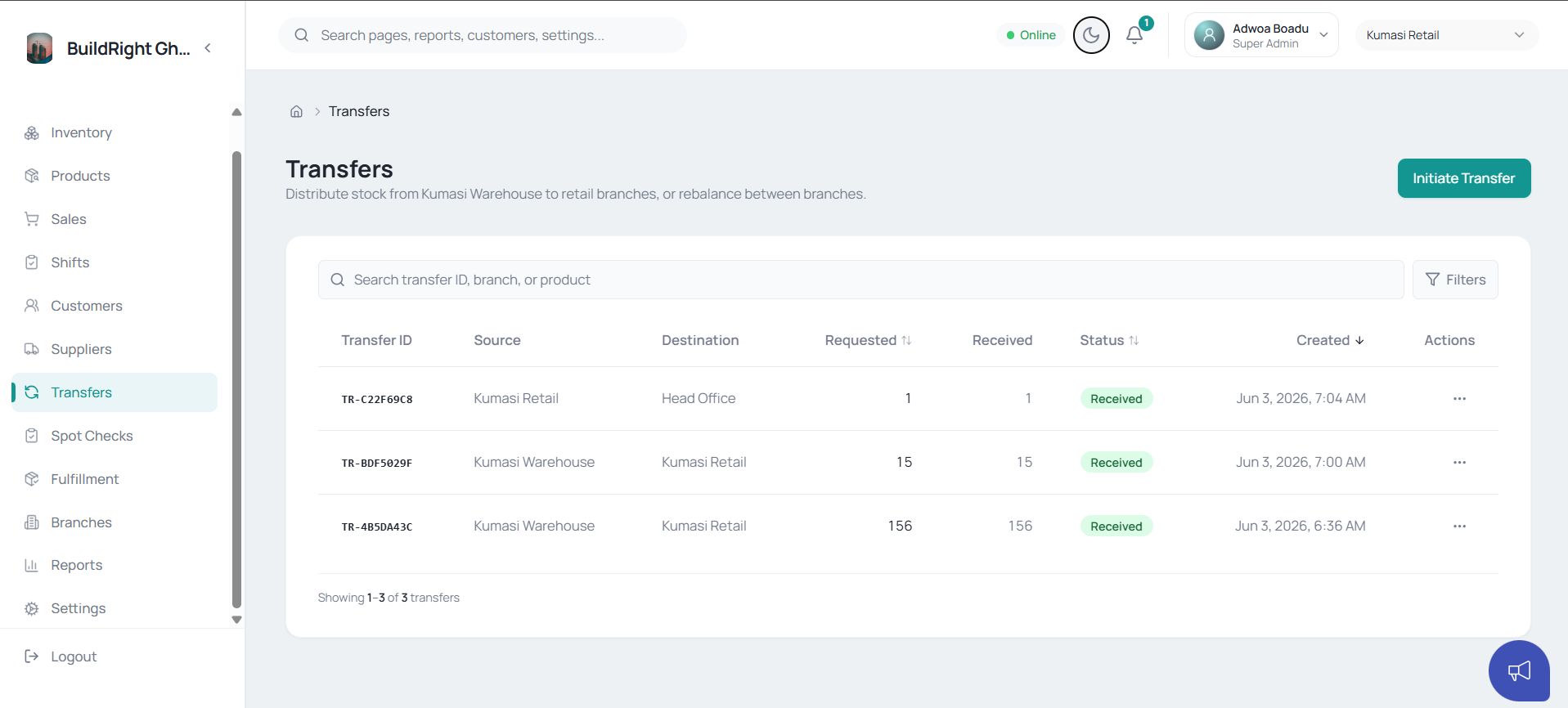
Transfers run request → approve → receive, and the stock stays visible at every step of the journey.
Branch transfersThe van carries matching paperwork
Waybills print with customer and office copies, tied to the exact delivery they cover.
WaybillsBig orders arrive in parts, never get lost
Fulfillment tracks each supply batch against the invoice until the last item lands — and gates the waybill on confirmed supply.
FulfillmentSuppliers on the record
Who supplies what, at what cost, with the history to back your next negotiation.
Suppliers
Act VClose
Close the drawer with the numbers agreeing.
End of day shouldn't be a search party. Expected against counted, explained or flagged — tonight, not at month-end.
Shortages surface the same evening
Closing a shift compares expected cash to counted cash, flags the gap and routes it to a manager for review.
Shift reconciliationMoney leaves the till only with a name on it
Petty cash goes out on a two-step voucher — a manager authorizes it, a cashier hands it over.
Petty cash vouchersDeposits recorded, not remembered
Bank deposits come off the drawer on the record, and a payout can never exceed the cash actually on hand.
Deposits & payoutsEvery cedi's paper trail
The cash deposits report ties what left each drawer to what reached the bank — ready for your accountant.
Cash reports
Act VIKnow
See the whole business from wherever the day ends.
The last check of the day shouldn't require calling every branch manager.
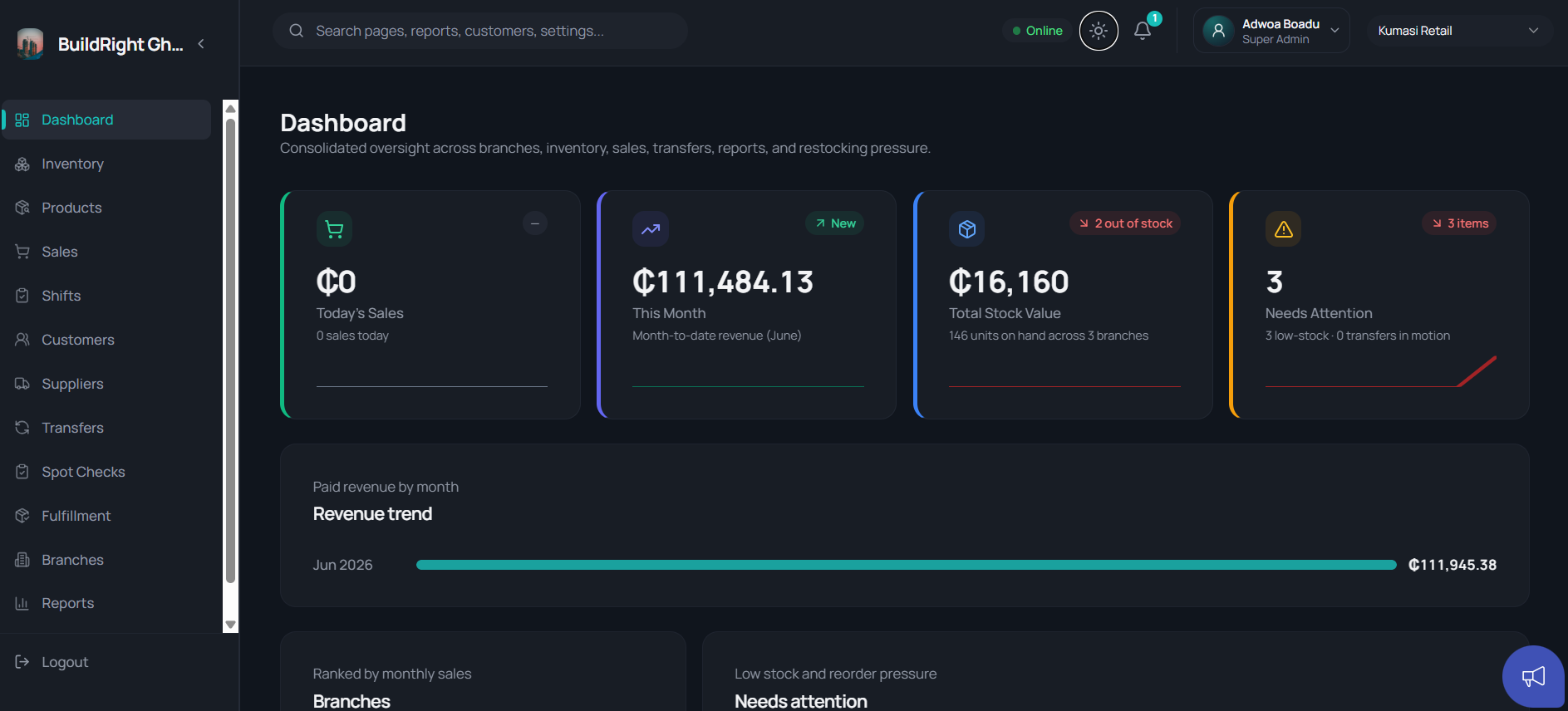
Every branch on one screen
The dashboard puts sales, stock value and reorder pressure side by side across all your locations.
Multi-branch dashboardReports your accountant can open
Filter any view down to what you need and export it to PDF or Excel.
Reports & exportsA private view of money in, money out
The Owner Workspace sits apart from the staff app — margins, outstanding balances and branch risk, for your eyes only.
Owner WorkspaceAsk your business a question
Nexstock's AI advisor answers from your own numbers — “which branch is slipping?” gets a real answer, not a feeling.
Ask · AI advisor →
The stock-take of the software itself.
No benefit language here — just what’s in the box, counted the way you’d count a shelf.
Sell 00
- Offline-first POS
- Two-counter mode
- Estimates & proformas
- Installment payments
- Discount controls & role caps
- Inclusive / exclusive & multi-tax
- Branded invoices & receipts
- Official payment receipts
- Customers & credit limits
Stock 00
- Live multi-branch inventory
- Product catalog & categories
- Goods received
- Low-stock & reorder insights
- Spot checks
- Excel imports
- Suppliers
Move 00
- Branch transfers
- Waybills & duplicate copies
- Supply-gated fulfillment
- Delivery history
Cash 00
- Cash shifts
- Drawer reconciliation
- Petty cash vouchers
- Bank deposits
- Till payout guard
- Cash deposits report
Oversight 00
- Multi-branch dashboard
- Reports & PDF/Excel exports
- Owner Workspace
- Ask — AI advisor
- Roles & permissions
- Installable app
Tomorrow could run like this.
Start free on a single branch — add your products, open a shift and take your first sale before lunch.